

Analyze: Sample Focus View
import matplotlib.pyplot as plt
import matplotlib.image as mpimg

# Define function to view two images at the same time

def view_two_images(path_img1, path_img2, ch1="488", ch2="561"):
    # Read the image files
    img1 = mpimg.imread(path_img1)
    img2 = mpimg.imread(path_img2)

    # Create a figure with 1 row and 2 columns
    fig, (ax1, ax2) = plt.subplots(1, 2, figsize=(12, 5))

    # Display the images
    ax1.imshow(img1)
    ax1.set_title(f"Channel: {ch1} nm")
    ax1.axis('off')  # Hide axes

    ax2.imshow(img2)
    ax2.set_title(f"Channel: {ch2} nm")
    ax2.axis('off')  # Hide axes

    plt.tight_layout()
    plt.show()
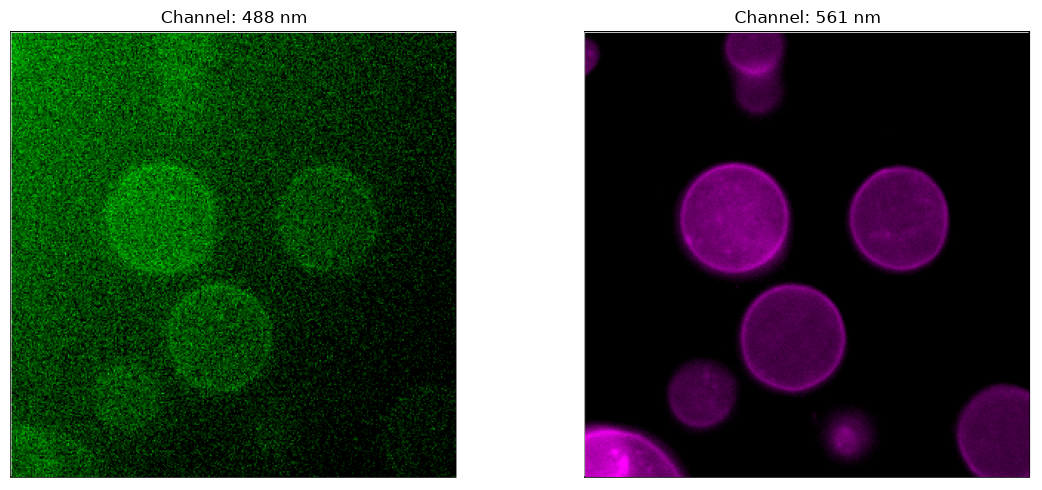
file_path_1 = "./S1-488.png"
file_path_2 = "./S1-561.png"
# view_two_images(file_path_1, file_path_2)
# Read the image files
img1 = mpimg.imread(file_path_1)
img2 = mpimg.imread(file_path_2)
# Create a figure with 1 row and 2 columns
fig, (ax1, ax2) = plt.subplots(1, 2, figsize=(12, 5))
# Display the images
ax1.imshow(img1)
ax1.set_title("Channel: 488 nm")
ax1.axis('off') # Hide axes
ax2.imshow(img2)
ax2.set_title("Channel: 561 nm")
ax2.axis('off') # Hide axes
plt.tight_layout()
plt.savefig("focus-view_sample-1.png")
plt.show()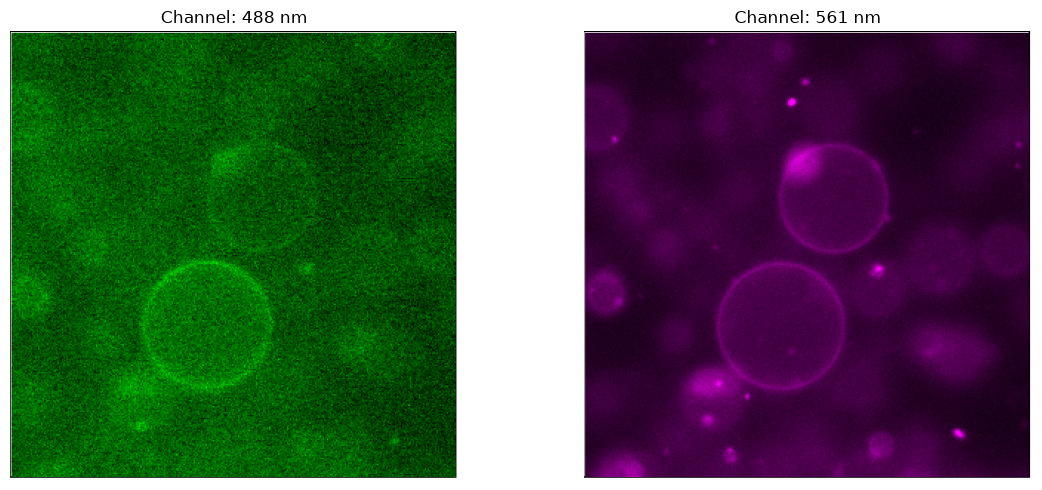
file_path_1 = "S2-488.png"
file_path_2 = "S2-561.png"

view_two_images(file_path_1, file_path_2)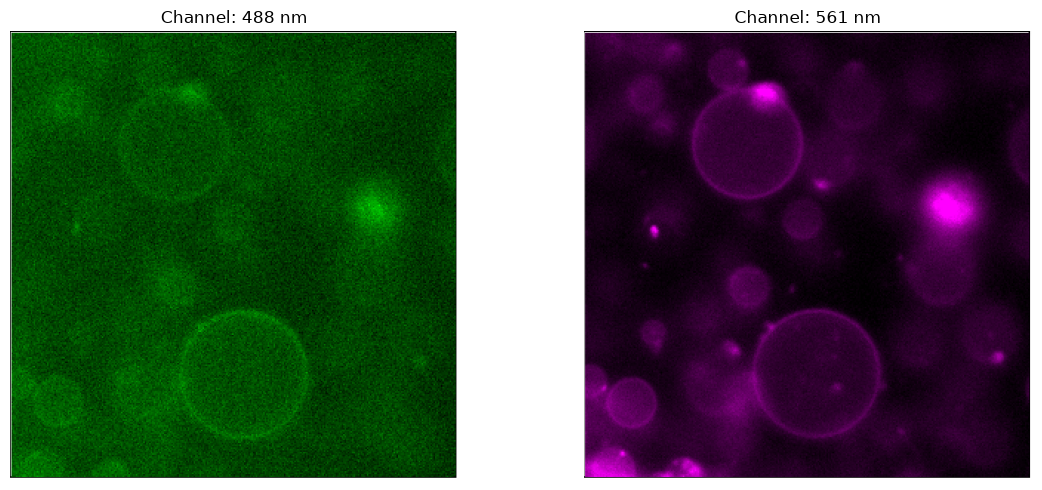
file_path_1 = "S4-488.png"
file_path_2 = "S4-561.png"

view_two_images(file_path_1, file_path_2)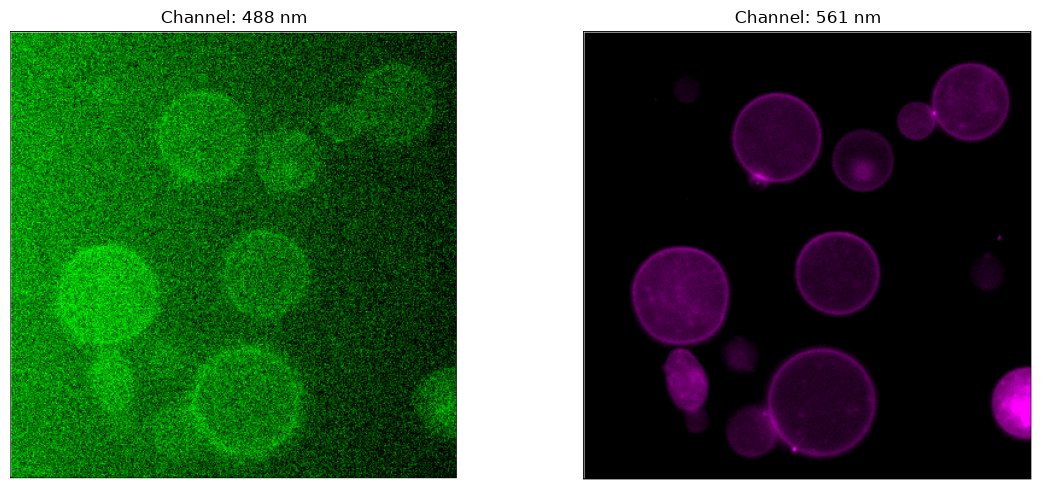
file_path_1 = "S5-488.png"
file_path_2 = "S5-561.png"

view_two_images(file_path_1, file_path_2)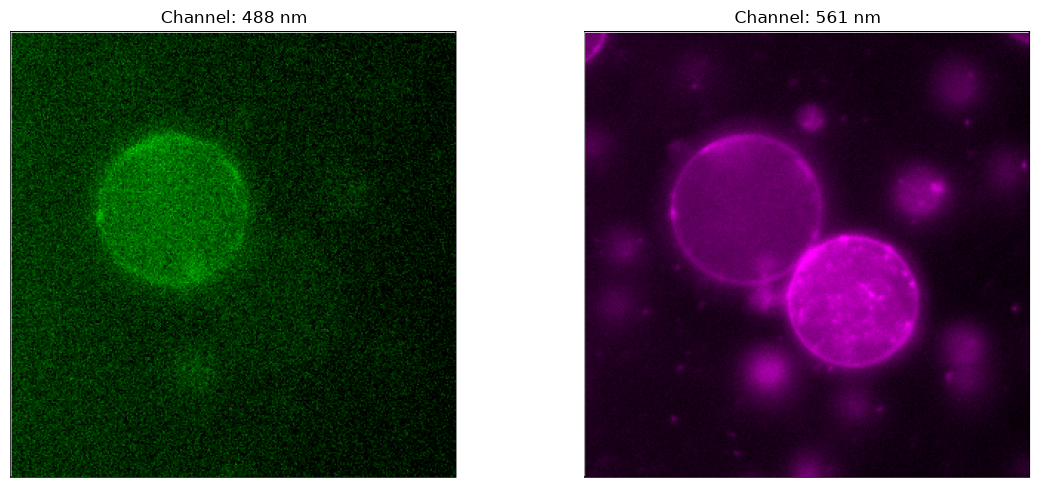
file_path_1 = "S6-488.png"
file_path_2 = "S6-561.png"

view_two_images(file_path_1, file_path_2)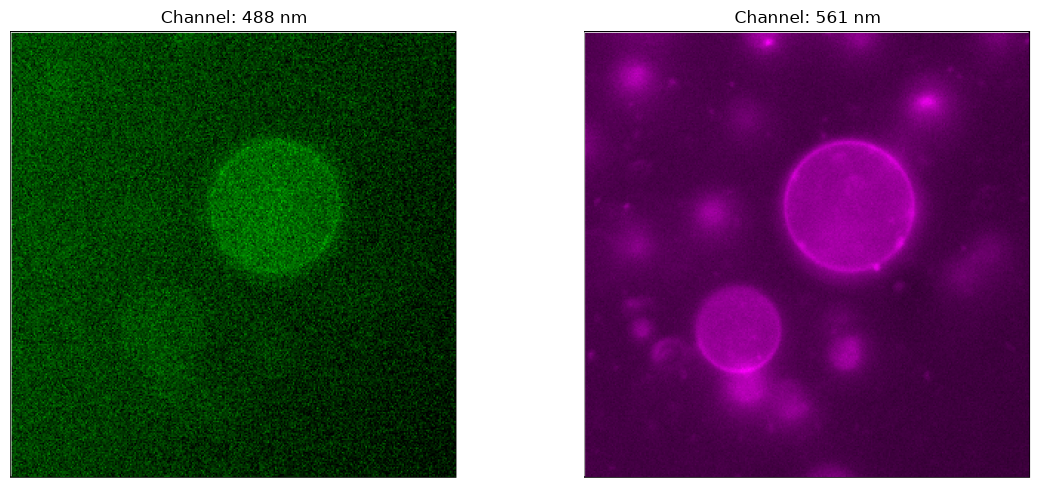
file_path_1 = "S7-488.png"
file_path_2 = "S7-561.png"

view_two_images(file_path_1, file_path_2)